 Revive the Touchbar
Revive the Touchbar.
Apple moved on from the Touch Bar. Give yours a full-width RGB light show, with ten effects and settings you can see change live.
After the trial, keep two effects free or unlock everything for {lifetime} once or {monthly} a month. Needs macOS 13 or later and a MacBook Pro with a Touch Bar.
Built like lighting gear
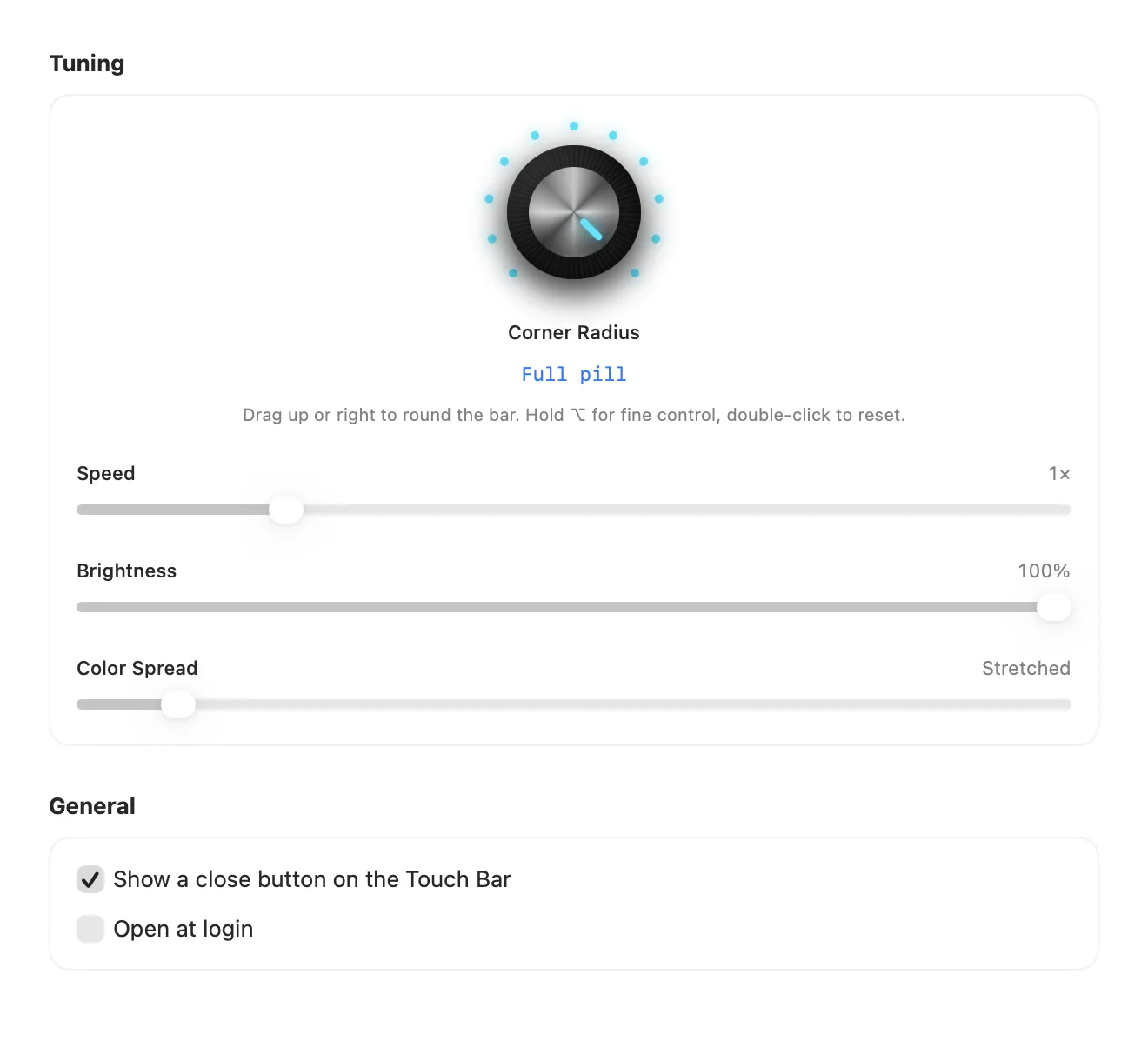
Everything is a control you can feel: knobs that click, sliders that respond, and a preview that moves as you adjust.
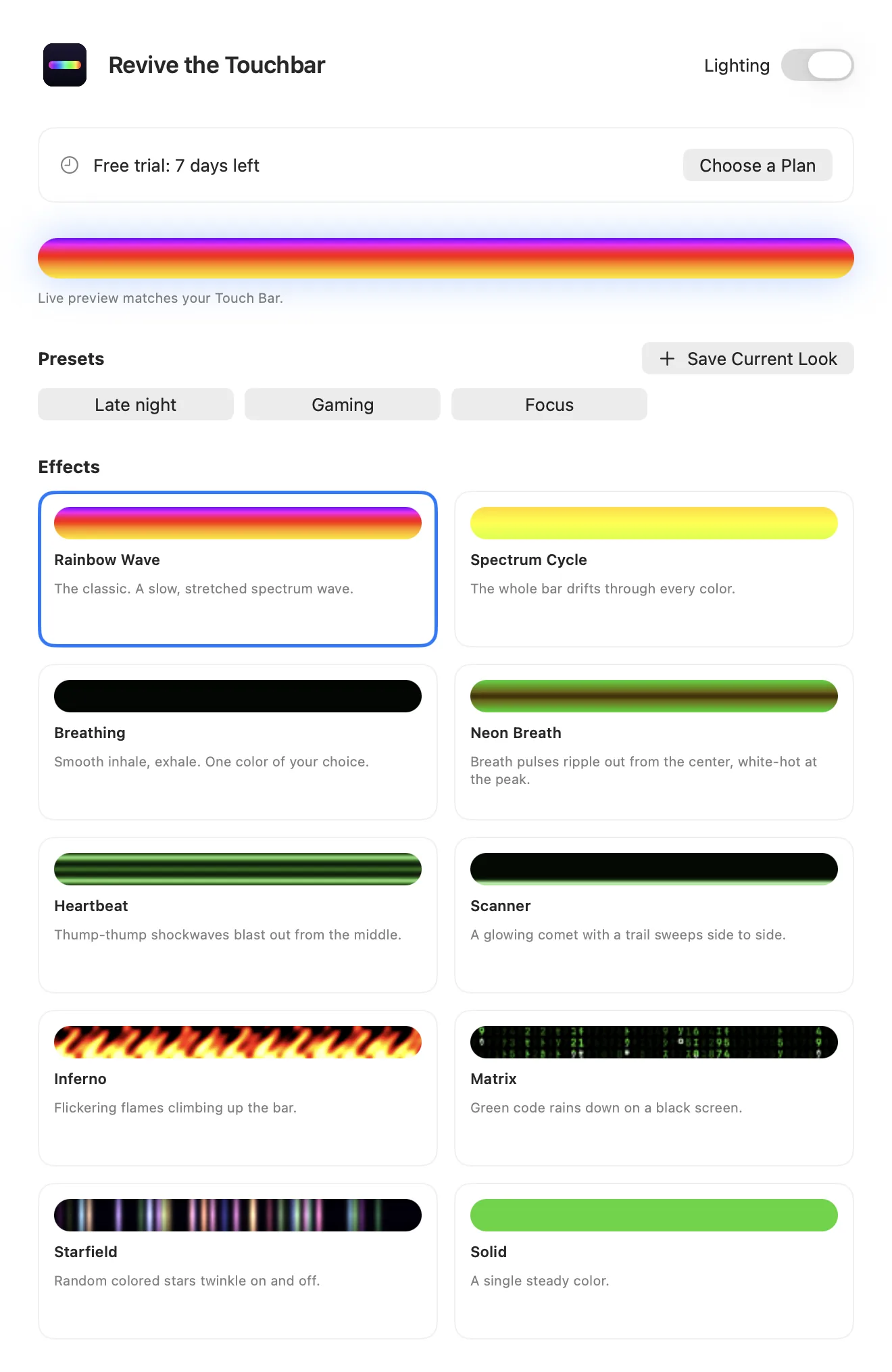
Ten effects
Rainbow wave, breathing, heartbeat, scanner, flames, Matrix rain, stars, and more.
Speaks your language
English, Spanish, Portuguese, French, Hindi, and Chinese, in the app and on this site.
Round it your way
A synth-style knob dials the corners from square to a full pill.
Save your looks
Save presets and switch between them from the menu bar.
Tune everything
Speed, brightness, color spread, and any color you like.
Stays out of the way
Lives in the menu bar and can start when you log in.
Settings that show the result
Every effect animates in its own card, so you pick with your eyes.
Try it free for a week
Every feature works for 7 days, with no card and no ads. After that, keep two effects free or unlock everything.
Free
Spectrum Cycle and Matrix in green, with fixed settings and a small sponsor card. Yours to keep after the trial.
DownloadLifetime
Pay once, use it forever. Includes a small sponsor card in the settings window. Nothing ever appears on your Touch Bar.
Buy LifetimeMonthly
No ads at all. Cancel any time and keep it until the period ends.
Buy MonthlyPrices are shown in your currency at checkout. Payments are handled by Stripe.
Install in a minute
Drag it into Applications
Open the download and drag Revive the Touchbar onto the Applications folder.
Pick an effect
The settings window opens on first launch. After that, the menu bar icon brings it back.
Good to know
What happens after the 7 days?
You keep Spectrum Cycle and Matrix in green on the free plan, with fixed settings. Other effects, presets, and tuning need Lifetime or Monthly. Your settings and presets are kept for when you upgrade.
How do the ads work?
The free plan and Lifetime show one small “Sponsored” card at the bottom of the settings window. Monthly has none. Nothing appears on your Touch Bar, and nothing is tracked.
Will I lose my volume and brightness buttons?
While the lighting is on, it covers the Control Strip. Tap the close button on the bar, or switch it off from the menu bar, and the buttons come back.
Which Macs does it work on?
MacBook Pros with a Touch Bar, on Apple silicon or Intel, running macOS 13 or later. Macs without a Touch Bar have nothing to light up.
Why isn't it on the App Store?
It shows the bar system-wide using Touch Bar features Apple doesn't document, and the App Store doesn't allow that. You download it here instead.
Could a macOS update break it?
It could, for the same reason. If that happens, switch the lighting off from the menu bar and your Touch Bar returns to normal. We'll ship a fix.
Can I get a refund?
Yes. Ask within 14 days of buying and we'll refund you in full.
Bring the light back.
Seven days free. No card needed.